Wireshark Packet Capture
✅ Verified CompleteNetwork traffic analysis, packet inspection, and protocol analysis
Skills Demonstrated
- Wireshark
- Packet Analysis
- Network Forensics
- Protocol Analysis
Tools Used
Screenshots

Documentation
View on GitHubWireshark Packet Capture Lab
Project Overview
This project demonstrates network traffic capture and analysis using Wireshark. We captured packets from multiple intentionally vulnerable web applications running inside Docker containers. The objective was to simulate real-world insecure traffic, analyze the data, and identify sensitive information leaks.
Lab Setup
-
Environment:
- Kali Linux VM (Ethical Hacker version from Cisco Networking Academy)
- Docker containers:
- DVWA (Damn Vulnerable Web App)
- OWASP Juice Shop
- WebGoat
- Mutillidae
-
Tools Used:
- Wireshark
- Firefox browser
- Docker CLI
Capture Files
| File | Description |
|---|---|
dvwa-capture-4-2-25.pcapng | DVWA website interaction capture |
juice-shop-capture.pcapng | Juice Shop interaction capture |
webgoat-capture.pcapng | WebGoat interaction capture |
login-dvwa.pcapng | Specific login attempt capture for DVWA |
All .pcapng files are available in this repository.
Analysis Walkthrough
Follow these steps to analyze the captured packets:
1. Open Capture Files
- Launch Wireshark.
- Open a
.pcapngfile.
2. Use Helpful Filters
http
http.request.method == "POST"
frame contains "password"
frame contains "admin"
frame contains "juice"
tcp.port == 80
3. Analyze HTTP Traffic
- Look for cleartext login forms.
- Follow HTTP streams to reconstruct conversations.
- Identify hints or exposed credentials.
4. Visualize Traffic
- Use
Statistics → Protocol Hierarchyto see protocol distribution. - Use
Statistics → Conversationsto view active sessions.
5. Screenshot Key Findings
- Capture images of login credentials in traffic.
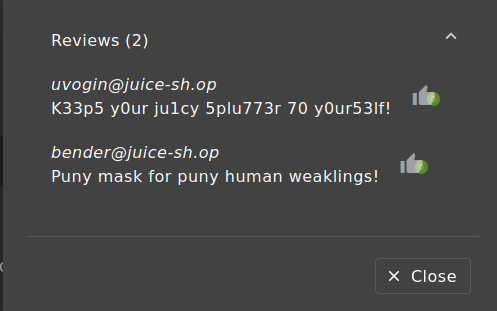
- Highlight sensitive data leaks or hints (especially from Juice Shop reviews).
Notable Findings
| Application | Finding |
|---|---|
| DVWA | Username/password transmitted without encryption |
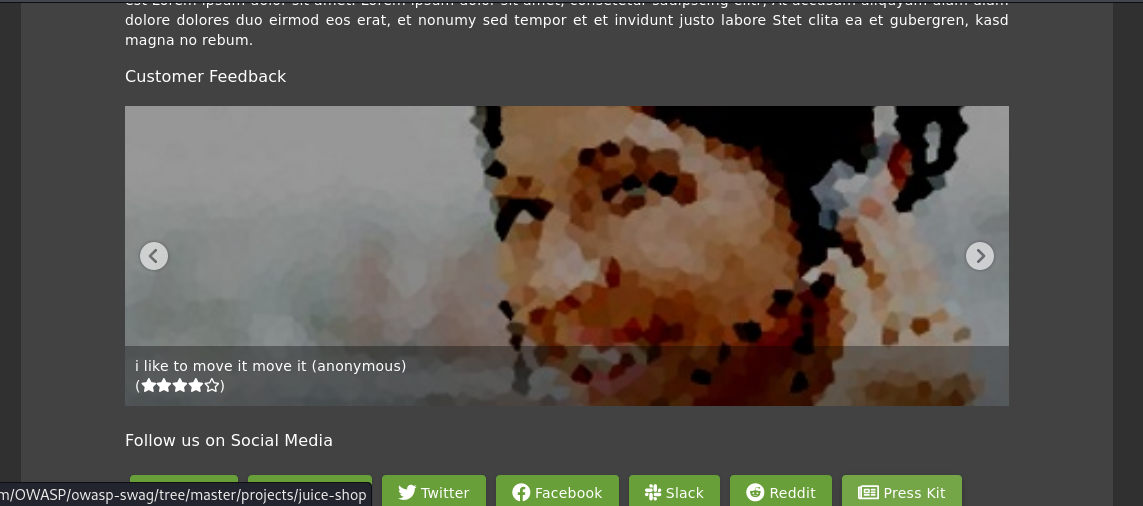
| Juice Shop | Usernames hidden inside customer reviews (potential attack vector) |
| WebGoat | Insecure login lessons demonstrated over HTTP |
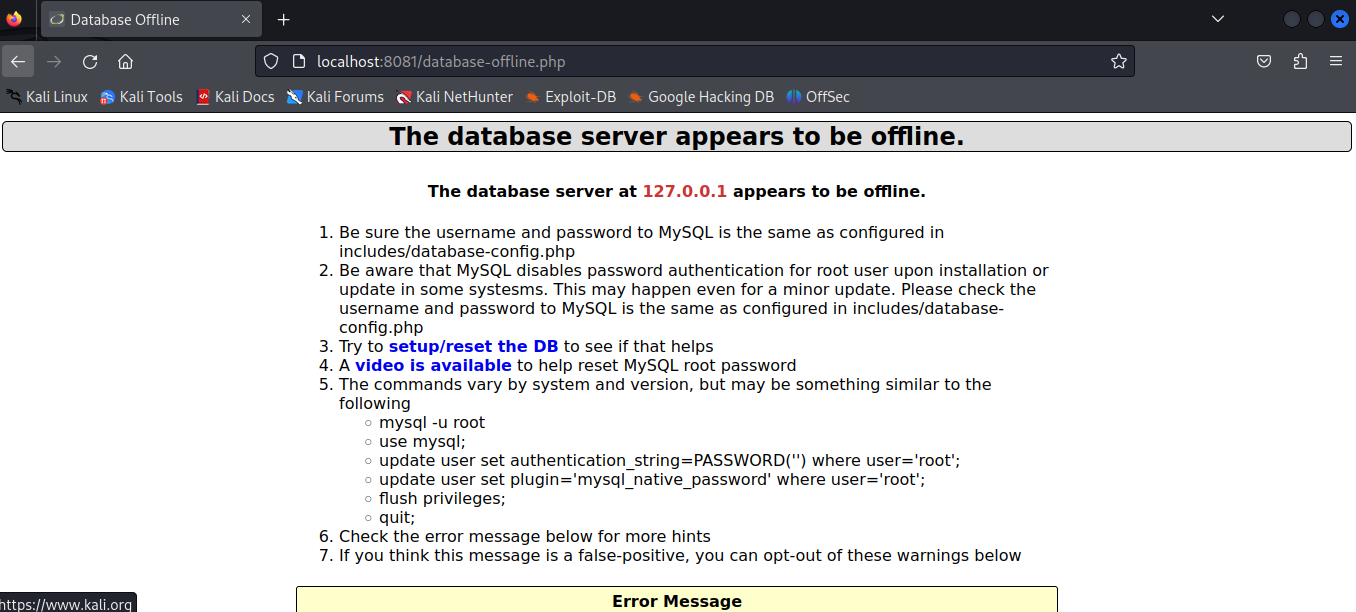
Mutillidae was unavailable due to database errors during capture.
Screenshots
Screenshots are stored in the screenshots/ folder:
 - Juice Shop customer review containing hidden information
 - Additional Juice Shop findings
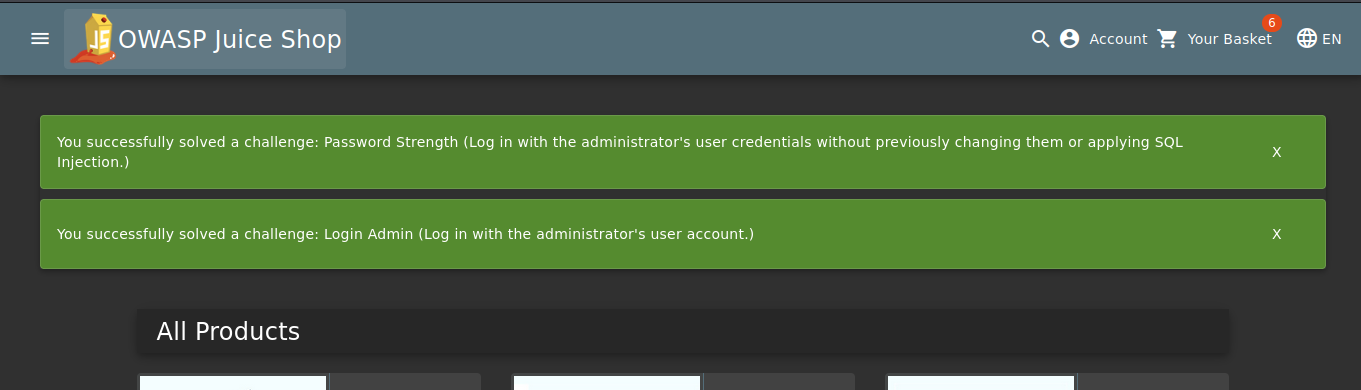
 - Key finding/hint discovered during analysis
 - Solution or key discovery from packet analysis
 - Mutillidae application unavailable during capture (database errors)
Lessons Learned
- HTTP traffic is easily sniffed without HTTPS.
- Vulnerable apps can leak useful information passively.
- Tools like Wireshark are essential for analyzing insecure communications.
Future Improvements
- Capture HTTPS traffic using SSL/TLS decryption.
- Simulate MiTM (Man-in-the-Middle) attacks.
- Add advanced analysis: TCP flags, session reconstruction, etc.
Credits
- Cisco Networking Academy — Ethical Hacker VM.
- OWASP — Juice Shop and WebGoat projects.
- Wireshark Foundation.
🎉 Project Complete!
"You can't protect what you can't see." 🛡️
Evidence
- 4 pcap files
- 5 screenshots
- Complete analysis